

The term “vibe coding” was originally used in jest to refer to asking an AI to write code and largely relying on the outcome. It’s no longer truly a joke in 2026; rather, it’s an accurate, albeit informal, explanation of how a lot of software is currently developed.
The technologies that support it have advanced quickly, and choosing the best one is more important than the marketing surrounding any one of them implies.
The Big Shift: From Autocomplete to Agents
Predicting the next few lines of code as you typed was the main function of AI coding tools a few years ago. The intriguing competition is no longer there. These days, the important tools can read a whole codebase, plan a multi-step change, edit many files at once, run commands, and iterate on the outcome, basically taking part in the workflow instead of just making text suggestions.
Because of this change, comparing various tools based on “which one autocompletes better” is becoming increasingly pointless. The true distinctions are evident in the degree of autonomy that each tool requires, how it manages a sizable codebase, and the type of workflow that it is genuinely based on.
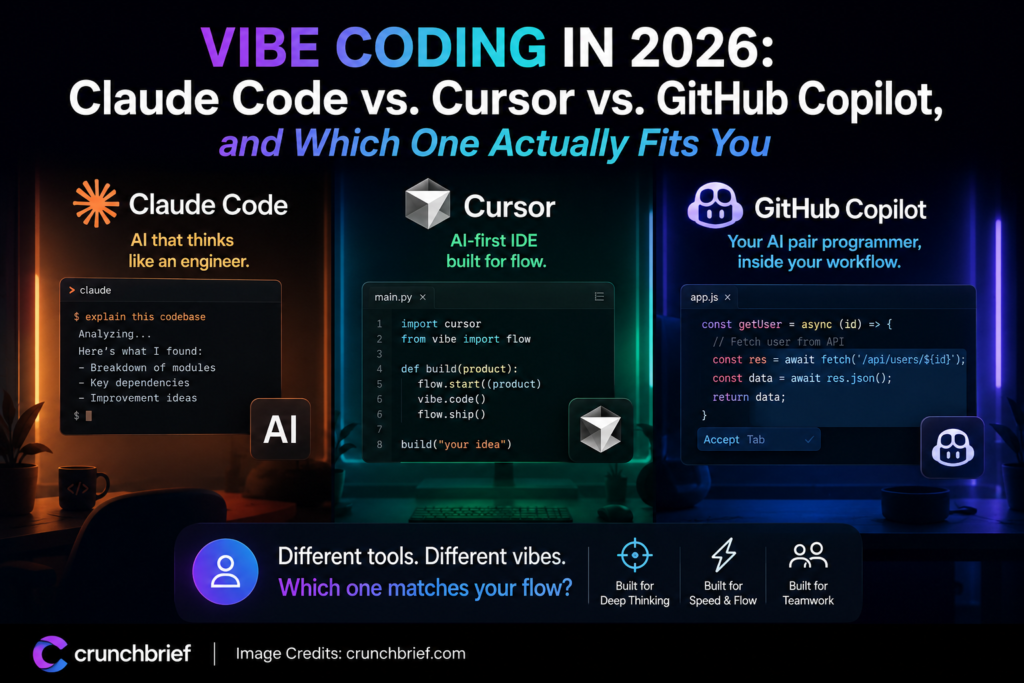
Claude Code: Built for the Hard, Multi-File Problems
When a task is very challenging, such as complicated refactoring, deep debugging, or modifications across an entire codebase, Claude Code, a terminal-native agent rather than an editor plugin, is typically considered the best choice.
It has a broad context window that enables it to reason across larger projects without losing track of what it’s doing, and it plans before it implements, which tends to create more architecturally coherent outcomes than tools that generate code more reactively.
Best for: developers comfortable working in a terminal who want to hand off a complete, well-defined engineering task and get a coherent result back.
Pricing: tiered monthly plans, with higher tiers unlocking more usage for heavier workloads, check current pricing before committing.
Cursor: The AI-Native Editor Developers Fight For
Instead of adding AI as a feature, Cursor developed the editor around AI from the ground up using the open-source foundation of Visual Studio Code. Teams may match a model to a task rather than being restricted to a single vendor’s approach thanks to its Agent mode, which can plan and carry out multi-file modifications with true autonomy and supports many underlying models.
It’s frequently regarded as the tool that developers specifically want for; occasionally, they have to fight their own procurement process to obtain it, which speaks volumes about the loyalty it fosters.
Best for: developers who want the most capable AI-native daily-editing experience and are willing to switch editors to get it.
Pricing: free tier available; paid plans scale up for teams needing admin controls and higher usage.
GitHub Copilot: The Enterprise Default
With deep integration with issues, pull requests, and CI/CD, a multi-model selector, and the kind of compliance and IP-indemnity protections big businesses specifically seek when implementing AI tools across the entire organization, Copilot continues to be the most popular paid AI coding tool in the world, and for good reason if you’re already a part of the GitHub ecosystem.
Although it’s not typically the tool that developers are most enthusiastic about, it’s frequently the safest and least disruptive approach to provide AI coding support to a whole team at once.
Best for: organizations standardizing AI tooling across a large team, especially ones already built around GitHub.
Pricing: a free tier with a capped number of completions per month; paid tiers scale up to enterprise plans with added compliance features.
What About Windsurf and the Rest?
Although they receive the most attention, Copilot, Cursor, and Claude Code do not represent the entire field. With a codebase-indexing system that manages massive projects without having to reprocess everything on every update, Windsurf is frequently praised for offering strong agentic IDE capability at a cheaper price range.
Prompt-to-app builders, such as Lovable and Bolt, fall into a completely distinct category. They create a fully functional application from a prompt and are more focused on rapid prototyping than professional engineering workflows. Even though most working developers don’t use them on a major codebase, it’s still good to know they exist.
How to Actually Choose
The truth is that most professional developers don’t choose just one, which is reflected in almost all of this year’s serious comparisons of these tools. A typical practice is to use Cursor or Copilot for routine in-editor work and Claude Code in the terminal for truly challenging multi-file issues that require more preparation and independence. Consider it more as task segmentation rather than “which tool wins.” High-stakes engineering judgment, in-editor project labor, and speedy completions are distinct tasks, and the tools divide along those lines.
1. If your team is already deep in GitHub and needs a safe, compliant rollout: start with Copilot.
2. If you want the most capable daily-driver editor and can influence your own tooling choices: try Cursor.
3. If your bottleneck is genuinely hard, multi-file engineering problems: add Claude Code alongside whichever editor you’re already using.
4. If budget is the main constraint and you still want real agentic capability: Windsurf is worth a serious look.
The Bottom Line
“Vibe coding” isn’t really about typing less anymore; the tools have advanced to the point that it’s interesting to consider how much autonomy and forethought you want to give up, as well as what kinds of problems.
These technologies don’t eliminate the necessity for a developer who is familiar with the coding and can see a poor decision before it is shipped. The amount of mechanical work that can now be completed without you having to type each line manually has changed.
Crunch Brief covers the developer tools actually changing how software gets built, subscribe for the weekly rundown.