Have you ever asked an AI for something, gotten a bland, generic answer, and thought, “This thing isn’t that smart”?
Often the problem isn’t the AI. It’s that the request left too much to guess. When you type a short, vague prompt, the model fills in the blanks with safe, average choices, and you get safe, average output.
The good news: you don’t need secret phrases or a course. Guides from AI labs and practitioners in 2026 keep landing on the same fundamentals: be specific, give context, say what format you want, show examples when style matters, and iterate. One theme comes up again and again: most bad results trace back to never defining what “done” looks like.
This article turns that into something you can use today.
The 5-part prompt
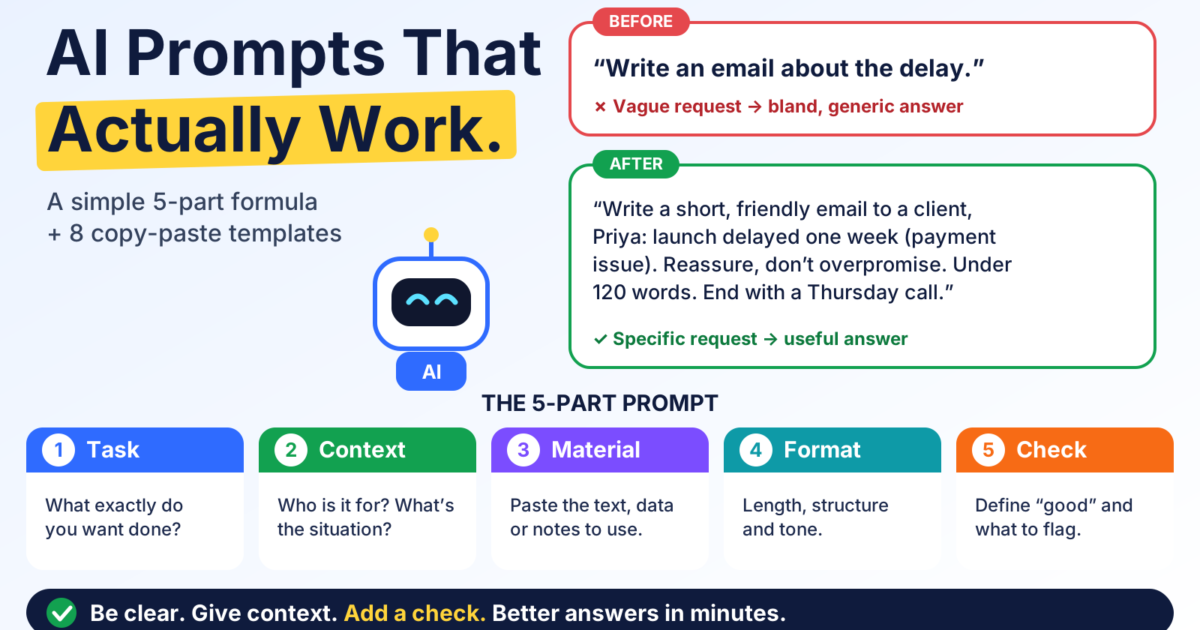
Think of every prompt as five short pieces. You don’t need all five every time, but the more you include, the better the result.
- Task: What exactly do you want done?
- Context: Who is this for, and why? What’s the situation?
- Material: The text, data or notes the AI should work from.
- Format: What should the answer look like? Length, structure, tone.
- Check: What does “good” look like, and what should the AI flag or avoid?
Here’s the difference it makes.
Before:
Write an email about the delay.
After:
Write a short, friendly email to a client named Priya telling her our website launch is delayed by one week because of a payment-system issue. She’s anxious about the deadline, so reassure her without overpromising. Keep it under 120 words, plain language, and end with a clear next step: a 15-minute call on Thursday. If anything in my details is unclear, ask me before writing.
The second one takes 30 seconds longer to write and saves several rounds of rewriting.
Eight templates you can copy today
Replace the parts in [brackets] and paste. Each one ends with a check, because that’s the part most people skip.
1. Summarize a long document
Summarize the text below for [audience, e.g. a busy manager]. Give me: a 3-sentence overview, 5 key points as bullets, and any decisions or deadlines. Use only what’s in the text. If something is unclear or missing, say so instead of guessing. [paste text]
Check: Skim the original for one detail the summary mentions, and confirm it’s really there.
2. Reply to a tricky email
Here’s an email I received: [paste]. I want to respond by [goal, e.g. declining politely but keeping the relationship]. Tone: [warm / firm / neutral]. Length: under [100] words. Give me two versions: one more formal, one more casual.
Check: Make sure it doesn’t promise anything you haven’t agreed to.
3. Turn messy notes into action items
Below are my raw meeting notes. Turn them into: (1) a short summary, (2) a list of action items with an owner and a due date where mentioned, (3) open questions. If an owner or date isn’t in the notes, write “not specified” rather than inventing one. [paste notes]
Check: Compare the action items against your memory of the meeting. Wrong owners are the most common error.
4. Compare options
I’m choosing between [option A] and [option B] for [purpose]. My priorities, in order: [1, 2, 3]. My constraints: [budget, time, skill]. Compare them in a table, then give a recommendation and the main risk of that choice. Tell me what information you’d need to be more confident.
Check: Look up prices and specs yourself. Treat any number as unverified until you do.
5. Explain something at the right level
Explain [topic] to someone who [your background, e.g. understands basic finance but has never used spreadsheets]. Use one everyday analogy, avoid jargon (or define it when needed), and end with 3 questions I can use to test my understanding.
Check: Try answering the three questions. If you can’t, ask for a simpler explanation.
6. Edit your own writing
Edit the text below for clarity and concision. Keep my voice and meaning. Don’t add new claims. Show your changes in two parts: the revised text, then a short list of the biggest edits and why. [paste text]
Check: Read the revised version aloud. If it doesn’t sound like you, tell the AI which parts to put back.
7. Plan a project or a week
Help me plan [project/week]. Goal: [goal]. Deadline: [date]. Time I have: [hours per day]. Break it into steps in order, estimate time for each, and flag anything likely to slip. Ask me up to 3 questions first if you need more information.
Check: Add 25% buffer to every estimate. AI time guesses tend to be optimistic.
8. Research brief with sources
Give me a brief on [topic] for [purpose]. Include the main arguments on each side, the most important numbers, and a list of sources I can open and verify. Mark any claim you’re unsure of. Don’t make up sources; if you can’t find one, say so.
Check: Open the sources. For the full routine, see our 5-minute fact-check guide.
Five habits that make every prompt better
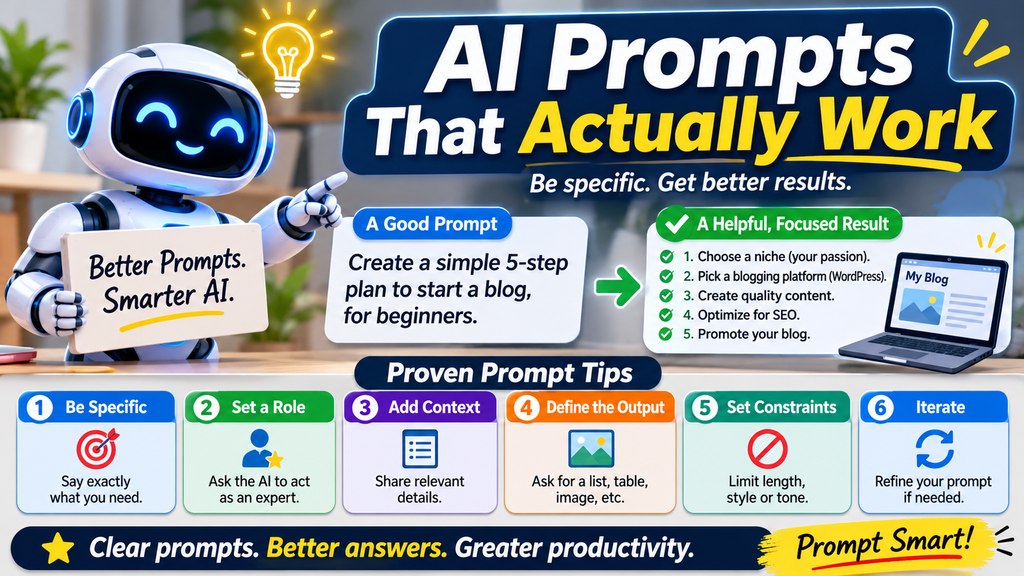
Treat the first answer as a draft. The best results usually come from the second or third round. Tell the AI what to change: “shorter,” “less formal,” “add an example,” “remove the second paragraph.”
Show an example when style matters. If you want a certain tone or layout, paste one example of what you like. Examples tend to beat adjectives like “professional but friendly.”
Break big jobs into steps. A single giant prompt can bury important instructions. Ask for an outline first, approve it, then ask for the full draft.
Let the AI interview you. Add a line like: “Before you answer, ask me up to three questions that would help you do this better.” It’s one of the simplest ways to fill in missing context.
Protect private information. Don’t paste passwords, confidential client data or anything you wouldn’t want stored. Check your tool’s privacy settings and your workplace’s AI policy before sharing sensitive material.
Your turn: build your first saved prompt
Here’s a 10-minute challenge:
- Pick one task you do every week. Email replies, meeting notes and status updates are all good candidates.
- Write it as a template using the 5 parts above.
- Save it somewhere easy, such as a notes app or a document.
- Use it once this week and tweak it based on the result.
If you’d like to share your template, hit reply and send it over. A few reader favorites may appear in a future issue (names removed, always).
Quick self-test
What’s missing from this prompt: “Make a social media post about our new product.”
- A. The task
- B. The context (audience, platform, product details)
- C. The format (length, tone, call to action)
- D. B and C
Answer: D. The task is there, but the AI has nothing to work with on who it’s for, what the product is or what the post should look like.
The bottom line
Good prompting isn’t about clever tricks. It’s about being a clear manager: say what you want, why, what to use, how it should look and how you’ll judge it. Do that, add a quick check, and AI goes from “sort of useful” to a real time-saver.